Using playlists
Our website lets you create custom playlists featuring Asset TV videos you want to watch. It's a great way to organize content for later viewing or to group videos on specific topics!
To get started, head to your playlist management page by selecting "My Playlists" from either your Dashboard or the user menu in the top right corner of the website.
If you haven't created any playlists yet, you'll see a clear option to "Create New Playlist."
Info
Your dedicated "Watch Later" playlist is always available in the right-hand menu on your Dashboard.
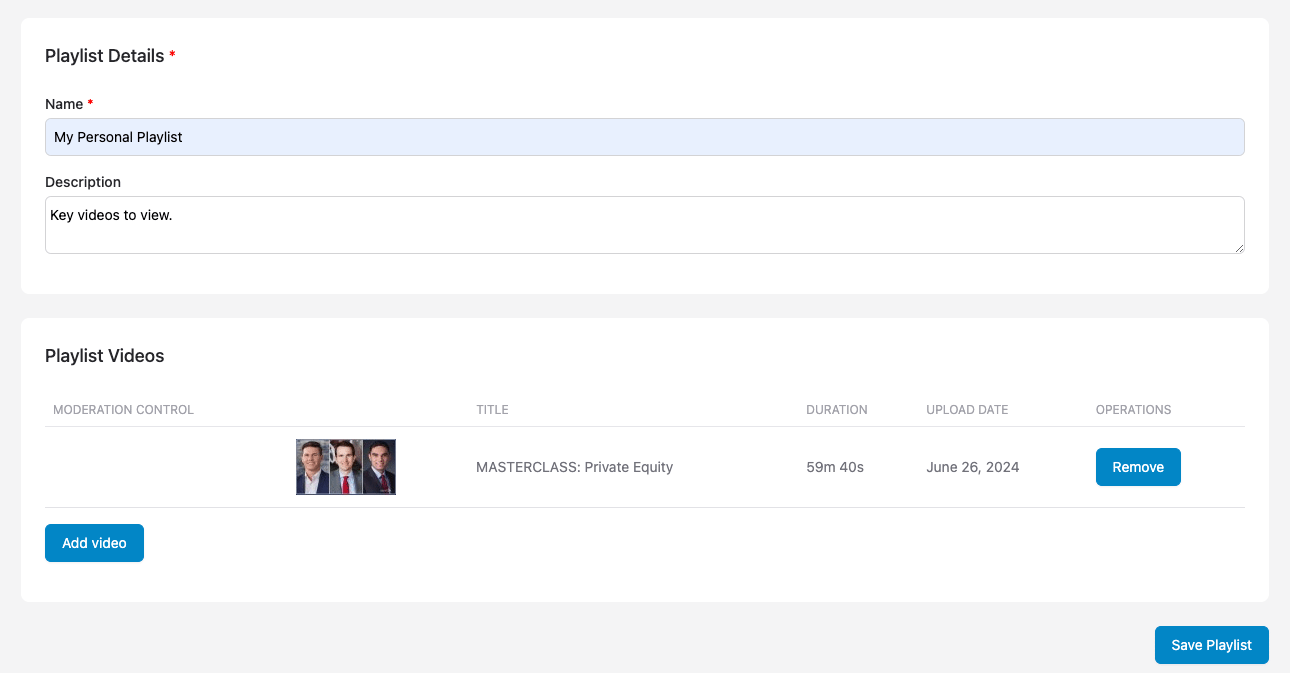
Fill in the fields to give your new playlist a name and, if you like, a description.
Adding Videos to Your Playlist
Once your playlist is created, there are a couple of easy ways to add videos:
- Click the "Add Video" button on your playlist page and type the video title into the search field.
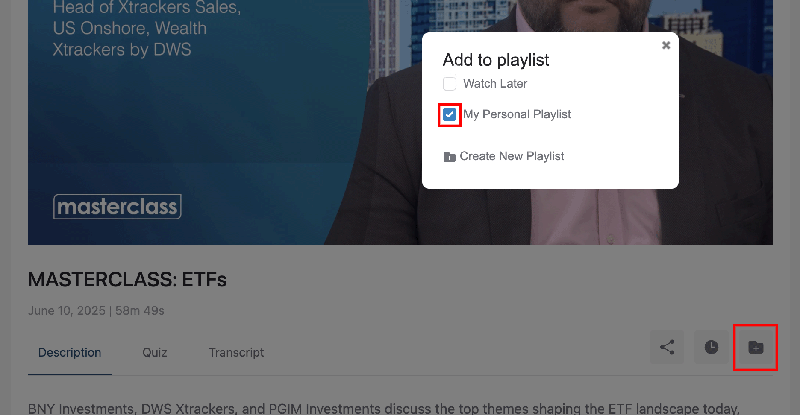
- When you're on a video page, select "+ Add to Playlist" located right under the video player.
Tip
You can also select "+ CREATE NEW PLAYLIST" directly from under a video player. This will take you to a "New Playlist" form with that video already added for you, saving you a step!